
Dr iQ: Secure NHS Online Consultations
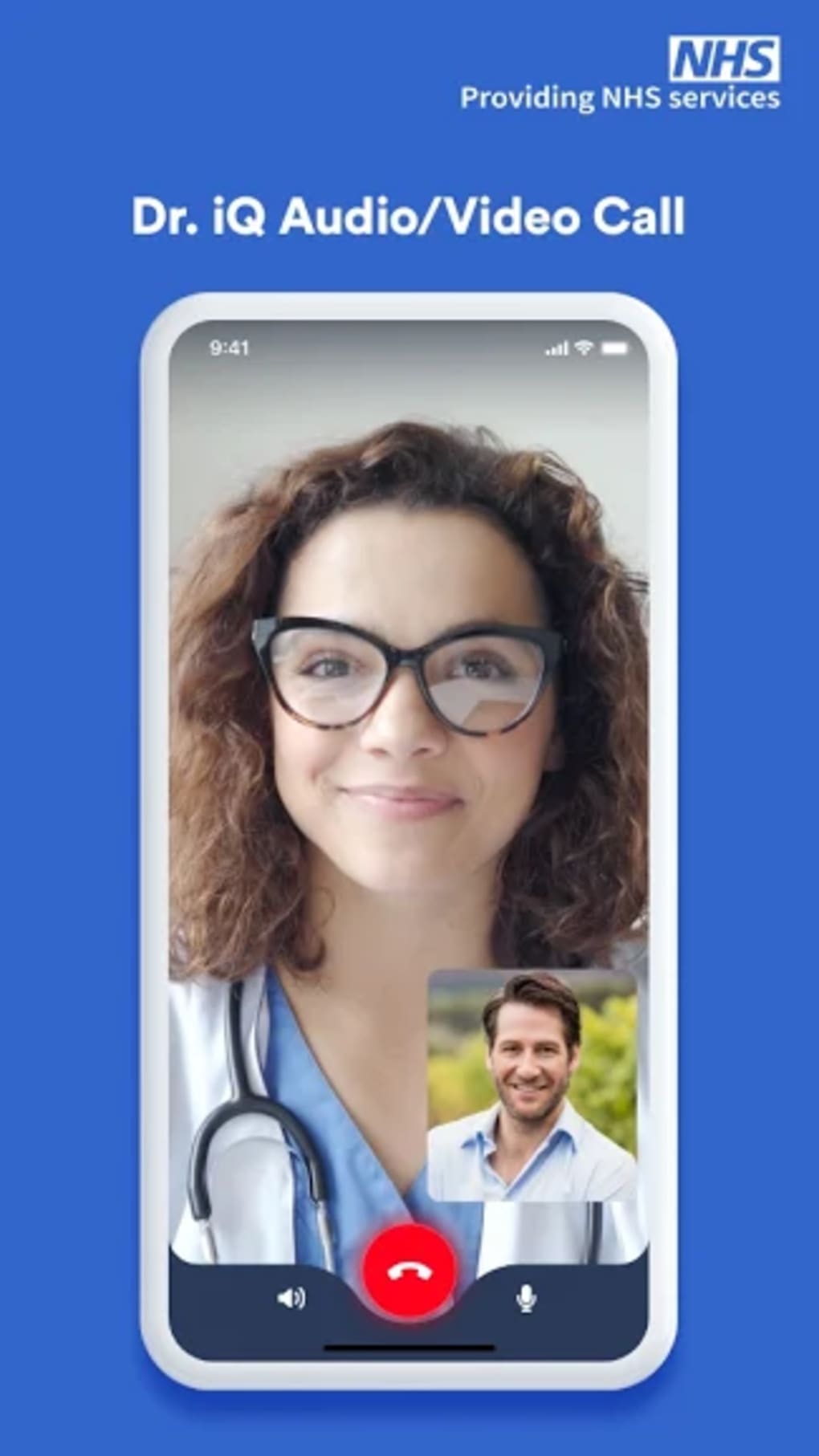
Dr iQ is a free telemedicine platform developed by NHS Digital, designed to streamline access to primary care services for patients within the UK’s National Health Service. The software enables users to book online consultations with their GP or medical team via video, audio, or text-based messaging, eliminating the need for in-person visits or lengthy phone queues. It supports repeat prescription requests, medication reminders, and symptom checking through NHS-approved clinical pathways, offering a centralized digital health solution for everyday medical needs.
Targeted at NHS patients, the platform is especially useful for individuals managing chronic conditions, those with busy schedules, or those seeking discreet access to care. Real-world use cases include requesting repeat prescriptions without visiting a clinic, checking symptoms before deciding on a visit, and receiving timely medical advice from the comfort of home. The application is accessible across Windows, Mac, iOS, and Android devices, ensuring broad reach for users with varying device preferences.
While still in early development, Dr iQ aims to reduce pressure on GP appointments by providing a secure, compliant digital alternative. The developer has emphasized data protection, with all information stored in an NHS-compliant environment. As part of the NHS Digital initiative, the platform reflects ongoing efforts to modernize healthcare delivery through digital innovation.
Key Features & Capabilities
- Online GP Consultations – Users can schedule video, audio, or text-based consultations with their medical team, enabling remote care without physical attendance. This is ideal for follow-ups, minor health concerns, or routine check-ins.
- Repeat Prescription Requests – Patients can order repeat medications directly through the app and choose a preferred pharmacy for pickup, reducing time spent on administrative tasks.
- Medication Reminder System – Customizable alerts notify users when it’s time to take prescribed medication, supporting adherence to treatment plans and improving long-term health outcomes.
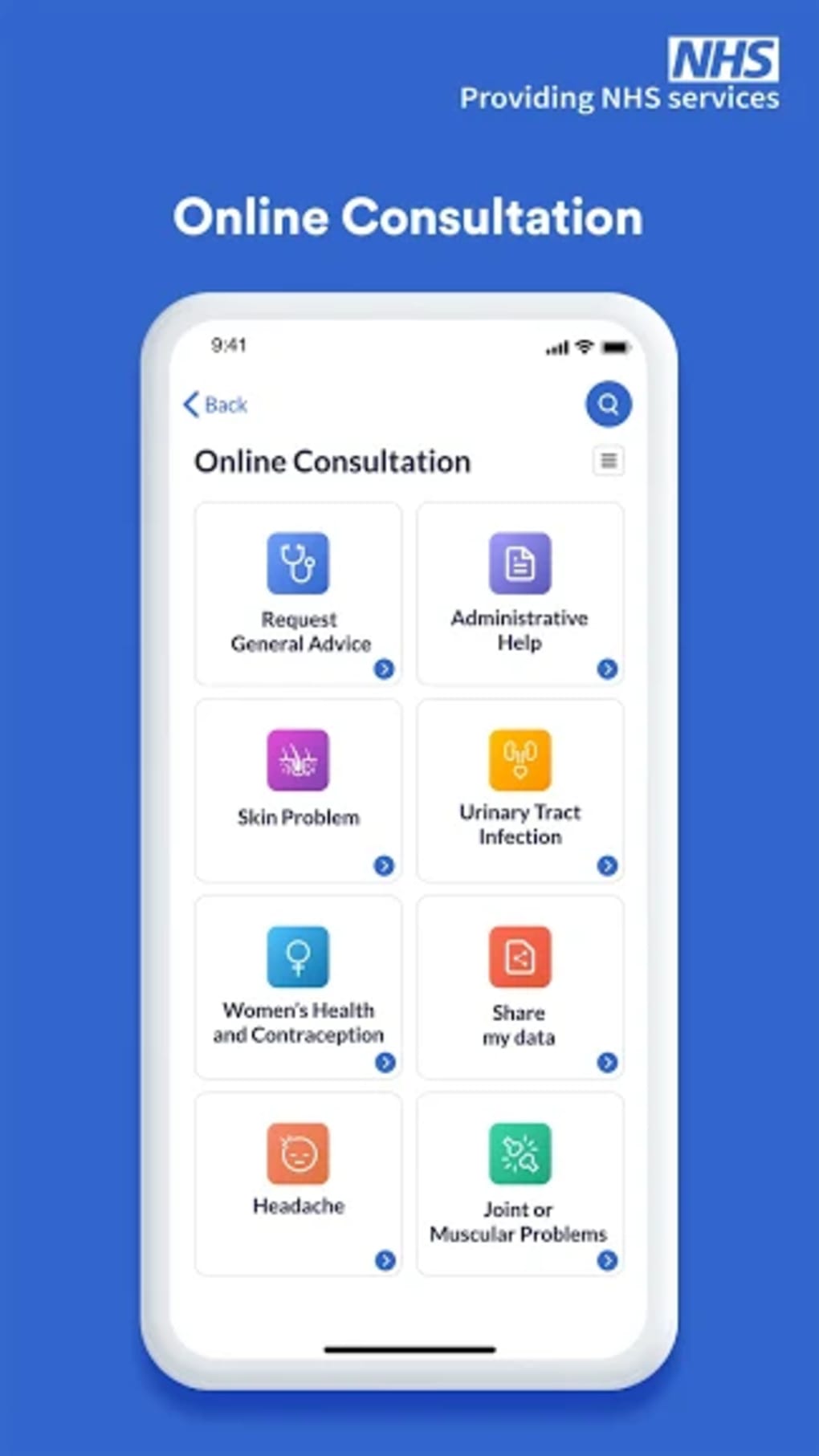
- Integrated Symptom Checker – Access to NHS-approved clinical pathways helps users assess common symptoms and determine whether a consultation is necessary, reducing unnecessary appointments.
- Secure Messaging – Direct communication with healthcare providers allows patients to ask questions, clarify instructions, or report changes in condition without scheduling a full appointment.
- NHS-Compliant Data Storage – All personal and medical data are stored in a secure, compliant environment managed by NHS Digital, ensuring patient privacy and regulatory alignment.
These features collectively support a seamless digital health journey. For example, a patient managing hypertension can use the symptom checker to assess a sudden spike in blood pressure, request a repeat prescription for their medication, set a daily reminder, and message their GP with concerns—all within a single platform. The integration of multiple tools into one interface enhances efficiency and reduces fragmentation in care.
User Interface, Workflow & Performance
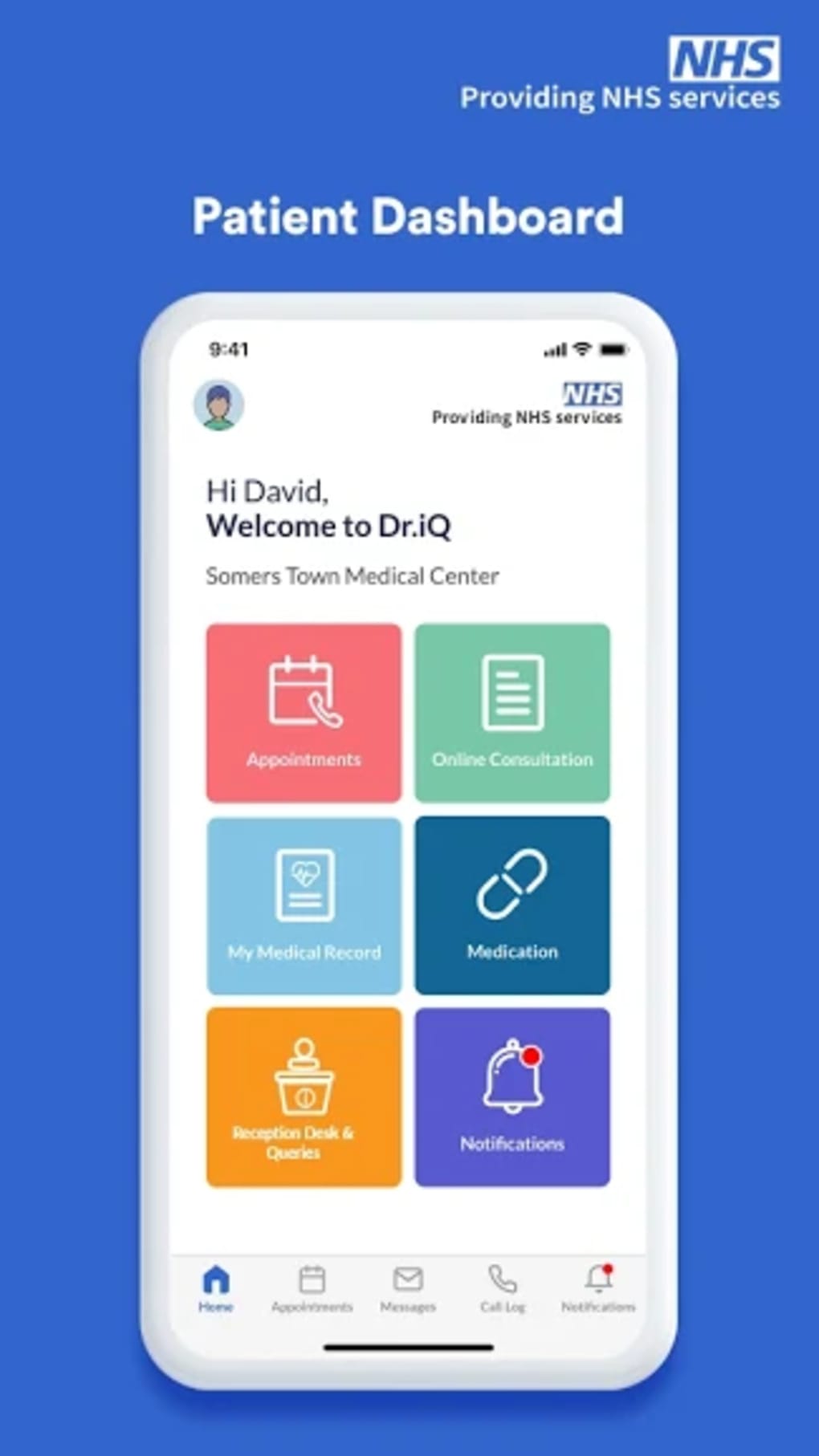
The user interface of Dr iQ is designed with accessibility in mind, featuring a clean layout with intuitive navigation. Main functions such as booking consultations, viewing prescriptions, and accessing the symptom checker are available through clearly labeled menus. The workflow follows a logical progression: users sign in, select their preferred consultation method, provide brief details, and confirm the appointment.
The app maintains consistency across Windows, Mac, iOS, and Android, ensuring a familiar experience regardless of device. Navigation is primarily touch- and mouse-driven, with minimal steps required to complete common tasks. While the developer did not specify resource usage details, the 100 MB installation size suggests moderate system demands.
Performance observations are based on general software behavior patterns. The platform appears stable during standard use, with no reported crashes or freezes in public documentation. However, exact performance metrics, CPU/RAM behavior, or load times were not provided.
Users may experience minor delays during peak usage times, as with any public-facing digital service. The interface supports screen reader compatibility and adjustable text sizes, aligning with accessibility standards. Overall, the workflow prioritizes simplicity and speed, minimizing friction for patients who may be managing health conditions or limited mobility.
Compatibility & System Requirements
Dr iQ is compatible with Windows, Mac, iOS, and Android operating systems, making it accessible to a wide range of users across different device ecosystems. The software version is 1.0.0, with an installation size of 100 MB. This indicates a lightweight footprint, suitable for devices with moderate storage capacity.
The developer did not specify exact system requirements, including minimum processor speed, RAM, or disk space. Compatibility information was partially provided, leaving some aspects of hardware readiness unclear. Users should ensure their devices meet standard operating system requirements for running modern web-based applications.
For example, iOS users should have at least iOS 13 or later, while Android users should have a recent version of the OS. Windows and Mac users should have up-to-date system updates installed. The absence of detailed technical specifications means that performance on older or low-end devices may vary.
It is recommended to consult official NHS Digital channels for the latest compatibility guidance.
Pros and Cons
Pros
- Free to download and use, making it accessible to all NHS patients.
- Secure, NHS-compliant data storage ensures patient privacy and regulatory safety.
- Supports multiple consultation types: video, audio, and text messaging.
- Integrated symptom checker and repeat prescription system streamline routine care.
- Medication reminders improve adherence and long-term health management.
- Available on Windows, Mac, iOS, and Android, ensuring broad device compatibility.
Cons
- Version 1.0.0 suggests the platform is in early development with potential for instability.
- Exact performance details and system requirements were not specified.
- Limited availability to NHS patients only, restricting access to a specific user base.
- May not support complex medical cases requiring in-person evaluation.
- Lack of public performance benchmarks or user feedback data.
Is Dr iQ available for all NHS patients?
Yes, Dr iQ is designed for use by patients registered with an NHS GP in the UK. Access requires a valid NHS account and registration with a participating practice.
Is the app secure and compliant with healthcare regulations?
Yes, all user data is stored in a secure, NHS-compliant environment managed by NHS Digital. The platform adheres to UK healthcare data protection standards.
Can I use Dr iQ offline?
While the app supports basic functions like viewing past consultations and medication records, full functionality requires an active internet connection.
How often are updates released?
Updates are released regularly to improve performance, fix bugs, and add new features. The development team is committed to ongoing improvements.
What types of consultations are available?
Users can schedule video, audio, or text-based consultations with their GP or medical team. The specific options may vary by practice.
Final Thoughts + CTA
Dr iQ represents a promising step forward in digital healthcare delivery, offering NHS patients a convenient, secure, and accessible way to manage routine medical needs. While still in its initial release phase, the platform effectively integrates core telemedicine functions—online consultations, repeat prescriptions, symptom checking, and medication reminders—into a single, user-friendly interface. Its NHS-backed foundation ensures trust and data integrity, making it a reliable tool for everyday health management.
Though not yet as feature-rich as some commercial alternatives, its focus on simplicity, compliance, and patient-centered design sets it apart. The app is particularly beneficial for individuals seeking to reduce time spent on appointments, manage chronic conditions, or avoid long wait times. With ongoing development and a clear mission to modernize primary care, Dr iQ is a valuable addition to the UK’s digital health landscape.
Download Dr iQ now to experience secure, instant access to NHS medical support.







